Thanks for downloading!
Just a few steps left.
If your download didn’t start automatically,
click here to try again.
Step 1
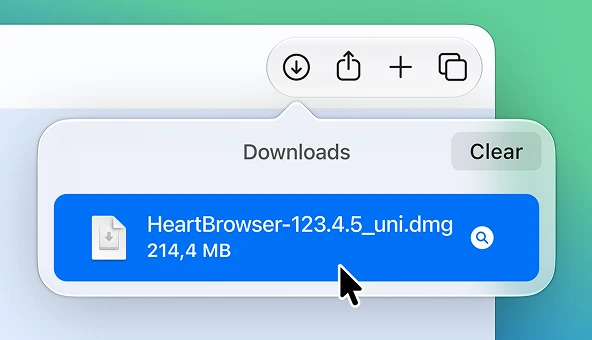
Open
Open the downloaded file (HeartBrowser…uni.dmg) from your downloads folder.
Step 2
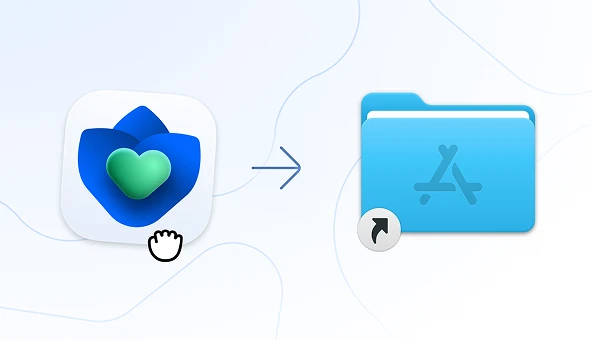
Install
Drag the Heart Browser icon into your Applications folder.
Step 3
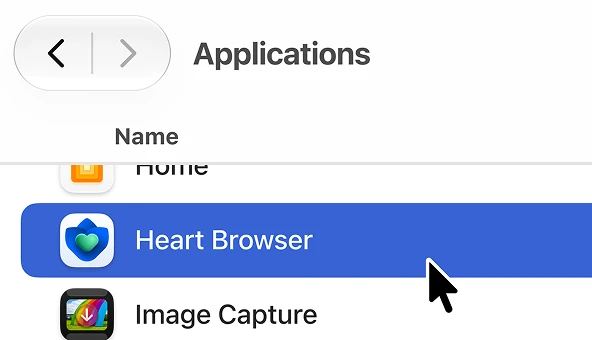
Launch
Open the Heart Browser app from your Applications folder.
Step 1
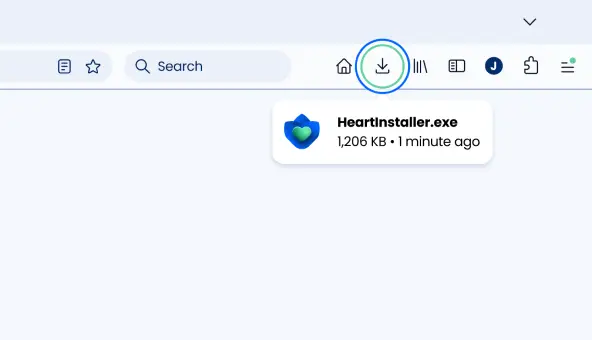
Open
Open the downloaded file by double-clicking it in your downloads folder located at the top-right corner of this window.
Step 2
Install
Follow the on-screen instructions and click “Install” to initiate the installation.

Step 3
Launch
Wait for installation to finish. Heart will open automatically when it's done and let you customize it based on your preferences.

'%20stroke-width='2'%20stroke-linecap='round'/%3e%3cpath%20d='M43.5076%2055.3848L46.7098%2058.587L67.688%2038.3855C70.5629%2035.5776%2071.9998%2032.0359%2071.9998%2028.4494C71.9998%2021.2519%2066.1326%2015%2058.8471%2015C53.6876%2015%2048.9043%2018.1563%2046.8097%2022.853C46.7737%2022.9336%2046.6573%2022.9336%2046.6214%2022.8529C44.5449%2018.1879%2039.7869%2015%2034.6582%2015C28.4499%2015%2023.2717%2019.5396%2021.876%2025.3356'%20stroke='url(%23paint1_linear_164_2545)'%20stroke-width='2'%20stroke-linecap='round'/%3e%3cdefs%3e%3clinearGradient%20id='paint0_linear_164_2545'%20x1='11.5351'%20y1='60.0318'%20x2='29.0428'%20y2='33.4711'%20gradientUnits='userSpaceOnUse'%3e%3cstop%20stop-color='%23023A90'/%3e%3cstop%20offset='1'%20stop-color='%2361D19C'/%3e%3c/linearGradient%3e%3clinearGradient%20id='paint1_linear_164_2545'%20x1='47.0277'%20y1='15'%20x2='47.0277'%20y2='58.587'%20gradientUnits='userSpaceOnUse'%3e%3cstop%20stop-color='%230066FF'/%3e%3cstop%20offset='1'%20stop-color='%23041125'/%3e%3c/linearGradient%3e%3c/defs%3e%3c/svg%3e)
Thank you for switching your browser to Heart